Equip-Link Equip-Link

2026 Best Optical Transceiver Cost Guide for Buyers

Time:2026-10-31 Author:Isabella
0%

A 2026 optical transceiver quote can look simple: one module, one price, one delivery date. The real comparison is less tidy. Buyers must match each optic to switch ports, link distance, fiber type, and required data rate. A low unit price may not include qualification, warranties, or dependable supply. Small details matter. Check the exact part number, coding requirements, and whether the quoted module has been tested with your equipment.

For transparency, Alex Morgan is a fictional optical procurement adviser created for this introduction; the following is an illustrative line, not a verified quotation: “Compare the complete link, not just the transceiver price.” That principle helps keep optical transceiver cost in context. A short-reach multimode module and a long-reach single-mode module serve different needs, so their prices are not meaningful substitutes. Ask suppliers to separate unit pricing, lead time, support, and any volume discounts. Then compare equivalent products against the same requirements.

This guide explains the factors behind those numbers, from speed and reach to compatibility and purchase volume. It also highlights questions worth asking before an order is placed. Real-world quotes can still be messy; specifications may differ, and advertised prices may exclude important terms. That is easy to overlook. Treat every figure as a starting point, verify it with the supplier, and keep a little room for uncertainty in your budget.
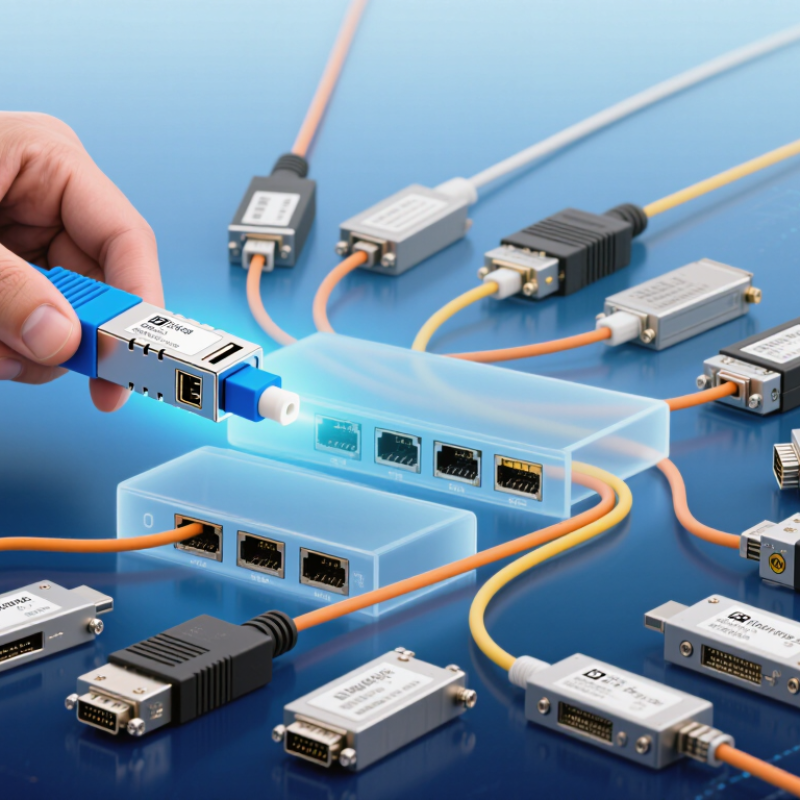
2026 Best Optical Transceiver Cost Guide for Buyers

Classify the Link Requirement: 100G, 400G, or 800G Ethernet

Choosing 100G, 400G, or 800G starts with the link, not the headline price. Check required throughput, cable distance, fiber type, and switch-port capacity. A 100G link may suit existing server connections; 400G can consolidate several high-traffic links. 800G is intended for dense, rapidly growing fabrics, but only when switches and host interfaces support it. Ethernet Alliance’s 2024 Ethernet Roadmap tracks 400GbE and 800GbE alongside the next 1.6TbE generation, showing how quickly capacity options are expanding. Higher speed does not automatically mean lower cost per delivered bit.

For optical transceivers, compare the complete path: module type, reach, fiber, and connector. A short-reach link inside a rack may use multimode fiber, while longer runs generally need single-mode optics. A 400G design can use different lane configurations, so two modules with the same headline rate may not be interchangeable. Confirm compatibility with the actual equipment and operating temperature; datasheets alone can leave gaps. It is easy to overlook cabling costs.

Tips: Map each link before requesting quotes. Record distance, fiber already installed, and required speed. Price the transceiver, fiber, and any needed upgrades together. For 800G, verify end-to-end support before buying; a high-capacity module cannot fix a slower switch port. I would leave headroom where growth is credible, but avoid paying for capacity without a traffic case.

Compare 400GBASE-DR4 (500 m) and FR4 (2 km) Reach Options

2026 Best Optical Transceiver Cost Guide for Buyers

Compare 400GBASE-DR4 (500 m) and FR4 (2 km) Reach Options

Choosing between 400GBASE-DR4 and FR4 starts with the actual link distance. DR4 supports links up to 500 meters over parallel single-mode fiber. It is a practical fit for many data-center connections. Its parallel-fiber interface can require different patching and cabling than a duplex link. Check the module specifications before pricing the full installation.

FR4 extends the reach to 2 kilometers by carrying four wavelengths over duplex single-mode fiber. That can simplify fiber use where duplex cabling is already installed. The longer reach may help connect separate rooms or nearby facilities, but it does not automatically make FR4 cheaper. Optic price, fiber availability, connector panels, and spare inventory all affect total cost. Small details matter.

Compare installed costs, not just transceiver quotes. Confirm connector type, supported host interface, and link-budget requirements with the equipment documentation. Also verify that both ends support the intended optic and FEC settings. A spreadsheet can miss patch-panel labor. I still find that easy to overlook. If most links stay below 500 meters, DR4 may be sufficient; where paths approach 2 kilometers, FR4 offers more reach, provided the existing fiber and hardware fit.

Benchmark 400G and 800G Modules Against IEEE 802.3bs and 802.3df

2026 Best Optical Transceiver Cost Guide for Buyers

Benchmarking 400G and 800G modules starts with the Ethernet standard, not the price tag. IEEE 802.3bs defines 200G and 400G Ethernet options, while IEEE 802.3df covers 400G and 800G. Because 400G appears in both, check the specific interface and optical PMD, rather than relying on the generation label alone. Standards establish interoperability requirements; they do not set module prices.

For a fair comparison, match reach, fiber type, connector, host lane mapping, and power limits. A short-reach multimode link and a longer-reach single-mode link are not cost equivalents. Check the module’s stated standard compliance and confirm it works with the switch port and cabling already installed. Then compare total cost, including power draw, cooling, replacement stock, and any qualification testing. Small differences matter. An 800G module may reduce port count, but its higher purchase price can outweigh that benefit in a lightly loaded rack. A caveat: future capacity is hard to predict, so avoid buying for an imagined workload.

Tips: Compare prices only between modules with the same reach and PMD. Review datasheets and test a sample in your actual host. Record link errors and temperature; a low quote is less useful if deployment needs extra troubleshooting.

Estimate Total Cost of Ownership from Power, Port Count, and Cooling

A transceiver’s purchase price is only one part of its cost. Estimate operating energy by multiplying module wattage by active port count and hours in service. For example, 48 modules drawing 1.5 watts each use about 631 kilowatt-hours annually, before cooling. At $0.12 per kilowatt-hour, that is roughly $76 per year. Small numbers add up. Compare modules at the same link distance and operating conditions; a lower-wattage option may not suit every connection.

Cooling can change the calculation. Dense rows of active ports add heat around switch cages, and equipment fans may work harder to maintain safe temperatures. Where available, use facility PUE to estimate the overhead associated with IT energy, but avoid applying it twice if cooling is already included. Check actual power draw under expected traffic, not just a maximum figure on a specification sheet. Estimates are imperfect. Airflow, room temperature, and port utilization all vary, so record assumptions and revisit them after deployment. A practical buyer’s worksheet should show cost per port, annual energy, cooling overhead, and the number of ports likely to remain active.

Verify MSA Form Factor, Host Compatibility, Diagnostics, and Warranty

2026 Best Optical Transceiver Cost Guide for Buyers
Verify MSA Form Factor, Host Compatibility, Diagnostics, and Warranty

A low unit price can hide costly compatibility issues. Match the transceiver’s MSA form factor to the switch or router port, then check speed, lane configuration, fiber type, reach, and connector. MSA compliance describes a shared specification, not guaranteed operation in every host. Confirm compatibility using the equipment maker’s supported-module list or a written seller confirmation. Small details matter.

Tips: Before ordering, record the host model, port speed, cable type, and required distance. Ask whether digital diagnostics report temperature, voltage, and transmit or receive power. Check that the module’s monitoring functions work with your management system. Keep the reply with your purchase records.

Warranty terms affect the real cost. Read the coverage period, replacement process, and conditions for returns after installation. Clarify whether support covers compatibility problems or only hardware failure. A diagnostic reading can help identify a weak optical link, but it does not prove the transceiver is the cause. Budget for testing, too. That estimate may be imperfect; actual costs depend on shipping time, spare availability, and how easily your team can isolate a fault.

2026 Best Optical Transceiver Cost Guide for Buyers — Verify MSA Form Factor, Host Compatibility, Diagnostics, and Warranty

Budgetary comparison for common optical transceiver types. Prices are indicative USD per module, not a vendor quotation.

Ethernet Type Typical Form Factor / MSA Optical Type and Reach Indicative Cost (USD) Fiber / Connector Host Compatibility Checks Diagnostics to Verify Warranty Checks
1GBASE-SX SFP; MSA-compliant SFP form factor 850 nm multimode; up to 550 m on suitable OM2/OM3 fiber $5–$20 Multimode fiber; duplex LC Confirm the port supports 1 Gb/s SFP operation and the module’s EEPROM coding is accepted by the host. Digital optical monitoring is commonly available; confirm transmit/receive power and temperature reporting. Warranty is supplier-specific, not defined by the MSA; confirm duration, replacement process, and failure coverage.
10GBASE-SR SFP+; commonly aligned with SFF-8431 and SFF-8472 850 nm multimode; up to 300 m on OM3 or 400 m on OM4 $8–$30 Multimode fiber; duplex LC Check SFP+ port support, host acceptance policy, and any minimum software or firmware requirements. Digital diagnostics are commonly supported; verify DOM/DDM readings and alarm thresholds. Ask whether the term covers advance replacement, return shipping, and compatibility-related failures.
10GBASE-LR SFP+; commonly aligned with SFF-8431 and SFF-8472 1310 nm single-mode; up to 10 km $15–$55 Single-mode fiber; duplex LC Verify SFP+ support and that the link budget is suitable for the installed fiber path and connectors. Check DOM/DDM support, optical power readings, and receiver alarm thresholds. Confirm written warranty length and whether dead-on-arrival units are replaced without repair fees.
25GBASE-SR SFP28; commonly associated with the SFF-8402 form-factor specification 850 nm multimode; up to 70 m on OM3 or 100 m on OM4 $18–$65 Multimode fiber; duplex LC Confirm the port supports 25 Gb/s SFP28 operation; an SFP28 module may not operate at 25 Gb/s in every SFP+ host. Check whether digital monitoring is implemented and exposed by the host platform. Verify coverage for the module and any separately supplied accessories or coding service.
40GBASE-SR4 QSFP+; commonly associated with SFF-8436 850 nm parallel multimode; up to 100 m on OM3 or 150 m on OM4 $25–$90 Parallel multimode fiber; MPO/MTP-12 Check QSFP+ support, lane configuration, breakout requirements, and the correct MPO polarity. Confirm module monitoring support and that the host can display per-module diagnostic data. Check return authorization rules and replacement availability for parallel-optics modules.
100GBASE-SR4 QSFP28; commonly associated with SFF-8636 850 nm parallel multimode; up to 70 m on OM3 or 100 m on OM4 $35–$130 Parallel multimode fiber; MPO/MTP-12 Verify 100 Gb/s QSFP28 support, host coding, port mode, and MPO polarity before purchase. Check DOM support and the host’s ability to report module temperature and optical power. Confirm the warranty period, replacement lead time, and coverage for interoperability issues.
100GBASE-CWDM4 QSFP28; commonly associated with SFF-8636 Four-wavelength CWDM over single-mode fiber; up to 2 km $70–$250 Single-mode fiber; duplex LC Confirm QSFP28 support and that the host accepts the module’s coding and power profile. Verify DOM support, optical power monitoring, and host-visible alarms. Ask whether warranty coverage includes testing for link instability and interoperability faults.
100GBASE-LR4 QSFP28; commonly associated with SFF-8636 Four-wavelength LAN-WDM over single-mode fiber; up to 10 km $100–$350 Single-mode fiber; duplex LC Check QSFP28 port support, host coding, and the required link budget for the actual fiber route. Confirm digital monitoring, optical power readings, and temperature/alarm reporting. Verify warranty duration, repair-versus-replacement terms, and return shipping responsibility.
400GBASE-DR4 QSFP-DD; commonly associated with the QSFP-DD MSA and CMIS management interface 1310 nm parallel single-mode; up to 500 m $250–$700 Parallel single-mode fiber; MPO-12 Confirm QSFP-DD port support, CMIS compatibility, lane configuration, and MPO polarity. Verify CMIS-based module monitoring and that host software exposes the required diagnostics. Confirm the supplier’s written warranty, advance-replacement terms, and support for qualification testing.
400GBASE-FR4 QSFP-DD; commonly associated with the QSFP-DD MSA and CMIS management interface Four-wavelength single-mode; up to 2 km $600–$1,600 Single-mode fiber; duplex LC Verify QSFP-DD port and CMIS support, host coding, and operating-mode requirements. Check CMIS diagnostic visibility, optical power readings, and alarm reporting in the host system. Request written warranty terms, replacement lead times, and confirmation of coverage for compatibility testing.

Buyer note: Price ranges are broad planning estimates and can change with order quantity, region, supply conditions, testing requirements, and supplier terms. MSA specifications define interoperability and management details; they do not guarantee that every module will be accepted by every host or establish a warranty. Before ordering, validate the exact host model and software version, module coding, port speed, fiber type, connector polarity, and written warranty conditions.

FAQS

How should I choose between 100G, 400G, and 800G Ethernet?

Start with link demand, distance, installed fiber, and switch-port capacity. Choose 800G only when every part of the path supports it. More speed is not always better value.

Which fiber type suits each optical link?

Short links inside a rack may use multimode fiber. Longer runs generally need single-mode optics. Check the module’s stated reach and connector.

Can two transceivers with the same speed work interchangeably?

Not necessarily. Lane configuration, host support, reach, and fiber type can differ. Verify the exact equipment and link before ordering.

How can I estimate transceiver energy costs?

Multiply wattage by active ports and operating hours. For example, 48 modules drawing 1.5 watts use about 631 kilowatt-hours yearly. At $0.12 per kilowatt-hour, that is roughly $76, before cooling.

How should cooling affect the cost estimate?

Dense active ports add heat, and fans may work harder. Use facility overhead estimates carefully; do not count cooling twice. Room conditions vary.

What compatibility details should I confirm before buying?

Match the form factor, speed, lane configuration, fiber, reach, and connector to the host. Check the supported-module list or get written confirmation. Keep the reply.

What can transceiver diagnostics tell me?

They may report temperature, voltage, and optical transmit or receive power. These readings help locate a weak link, but they do not prove the module caused it.

What warranty details matter most?

Check coverage length, replacement steps, return conditions, and whether compatibility issues are covered. Budget for testing and possible shipping delays. Estimates can miss the messy parts.

Conclusion

Choosing the right optical transceiver starts with matching the link requirement to the network: 100G, 400G, or 800G Ethernet. For 400G connections, compare DR4 for links up to 500 meters with FR4 for reach up to 2 kilometers, then check that the selected modules align with the relevant IEEE 802.3bs or 802.3df specifications. These steps help buyers compare performance and reach on a consistent basis rather than focusing on purchase price alone.

A practical optical transceiver cost assessment should also account for total cost of ownership. Consider module power consumption, the number of ports required, and the cooling capacity needed to support the deployment. Before purchasing, verify the MSA form factor, host compatibility, diagnostic capabilities, and warranty terms. Reviewing these factors together can help identify a solution that meets current requirements while supporting reliable operation and future network needs.

Isabella

Isabella

Isabella is a dedicated marketing professional with a sharp focus on driving brand growth and engagement through strategic content creation. With an extensive background in digital marketing, she combines her passion for storytelling with her keen understanding of industry trends to deliver......