Equip-Link
Choosing a 40G QSFP+ transceiver is not simply a matter of matching a port label. The module must fit the switch, fiber type, reach, connector, and network design. A wrong choice can produce unstable links, excessive optical loss, or unexpected compatibility problems.
John D’Ambrosia, a respected Ethernet industry expert and former Ethernet Alliance chairman, has emphasized, “Interoperability is essential to Ethernet’s success.” That principle matters when comparing SR4, LR4, and PSM4 options. Each design uses different optics and supports different distances. For example, a QSFP+ SR4 module commonly uses four multimode-fiber lanes. It suits short links inside data centers. An LR4 module normally supports longer single-mode-fiber connections. The price difference is only one part of the decision.
Check the details.
A careful selection process should verify wavelength, transmission distance, optical budget, connector type, temperature range, and digital diagnostic monitoring. Vendor coding also deserves attention. Some switches accept third-party modules, while others may require approved transceivers. Real installation experience shows that “compatible” does not always mean trouble-free. Firmware, cable quality, and patch-panel condition can change the result. I have seen specifications look perfect, yet a dusty connector caused intermittent errors. That detail is easy to overlook.
This guide explains how to evaluate a 40G QSFP+ transceiver with practical criteria. It also considers testing, deployment risk, and future maintenance. No checklist is perfect. However, a disciplined comparison can prevent expensive replacements and confusing link failures.
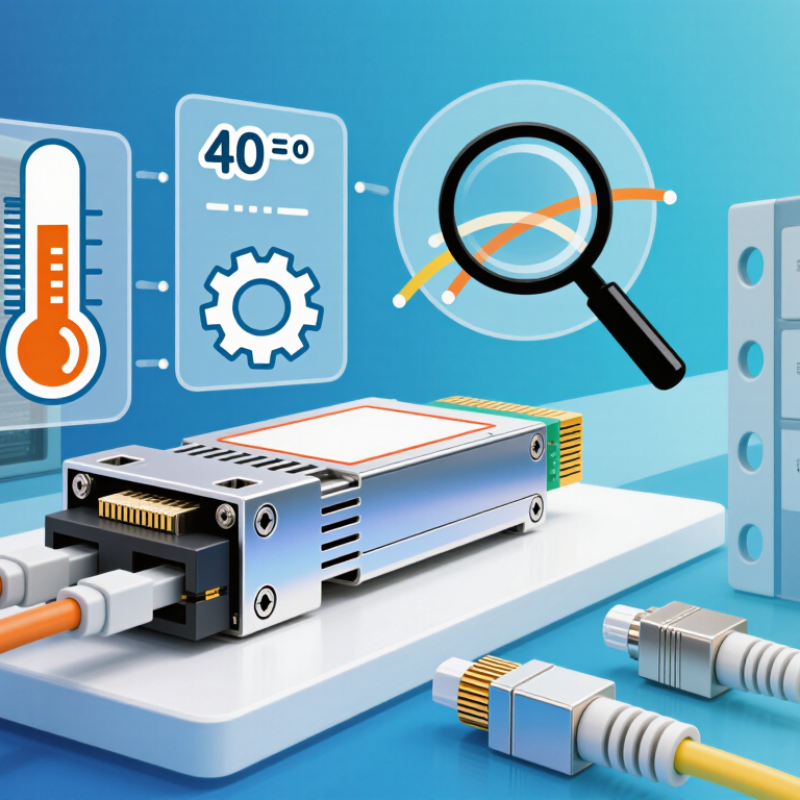
Before choosing a 40G QSFP+ transceiver, define the network’s actual operating conditions. Check the switch port type, required link speed, and expected traffic growth. A 40G link may serve a short data-center connection or a longer campus path. These situations need different optical designs.
Measure the cable route, including patch-panel space and service loops. Short multimode links often use parallel-fiber connections with MPO interfaces. Longer single-mode links commonly require duplex LC connections. Confirm the installed fiber type, polarity, and connector cleanliness. A small polarity error can disable an otherwise correct link. Also decide whether the port must support a 4x10G breakout connection. That choice affects cabling, switch configuration, and future expansion.
Environmental and operational requirements matter too. Check the equipment-room temperature, airflow, power limits, and monitoring functions. Digital diagnostics can reveal optical power, temperature, and voltage problems before a link fails. Confirm interoperability through the equipment’s compatibility documentation, not only through a low purchase price. Test the transceiver with the intended switch and cable before large-scale deployment. This step is easy to skip. It should not be. A planning sheet may look complete, yet it can miss cleaning procedures, spare units, or realistic maintenance access. Define these details early, then select the transceiver specification that fits the measured network rather than an assumed one.
How to Choose a 40G QSFP+ Transceiver?
Choosing a 40G QSFP+ transceiver starts with distance, fiber type, and the installed connector system. In real deployments, the shortest optic is often the safest and most economical choice. 40GBASE-SR4 uses four multimode lanes and usually reaches 100 meters over OM3 fiber. With OM4 fiber, the typical reach extends to 150 meters. It needs an MPO connector and correct polarity. Do not guess.
For longer links, 40GBASE-LR4 carries four wavelengths over duplex single-mode fiber, commonly reaching 10 kilometers. It uses LC connectors and suits buildings, campuses, and data-center interconnects. 40GBASE-ER4 can extend to about 40 kilometers, but its optical budget deserves close review. PSM4 provides a lower-cost single-mode option for roughly 2 kilometers. It uses parallel fibers, usually with an MPO interface. That detail is easy to miss. BiDi variants can run 40G over two multimode fibers, often near 100 meters. Actual distance depends on fiber grade, loss, and transceiver specifications.
I recommend measuring the complete channel, including patch panels, adapters, and bends. A link that looks short on a floor plan may lose margin through crowded cabinets. Check wavelength compatibility, connector gender, polarity, and digital diagnostic readings before ordering. Temperature also matters in sealed enclosures. I once treated nominal distance as guaranteed distance; that assumption was too optimistic. Leave headroom for aging, cleaning errors, and future cable changes. When interoperability matters, compare standards, power limits, and receiver sensitivity rather than relying only on advertised reach.
| Transceiver Type | Common Ethernet Application | Transmission Distance | Fiber Type | Optical Wavelength | Interface | Optical Architecture | Best-Fit Use Case |
|---|---|---|---|---|---|---|---|
| 40GBASE-SR4 | Short-reach 40GbE | Up to 100 m on OM3 Up to 150 m on OM4 |
Multimode fiber | 850 nm | MPO-12 or compatible parallel-fiber connector | 4 parallel lanes × 10 Gb/s | Data-center switch-to-switch and switch-to-server links |
| 40GBASE-SR4 Extended-Reach | Extended short-reach 40GbE | Up to 300 m on OM3 Up to 400 m on OM4 |
Multimode fiber | 850 nm | MPO-12 or compatible parallel-fiber connector | 4 parallel lanes × 10 Gb/s | Longer intra-data-center links where multimode cabling is already installed |
| 40GBASE-LR4 | Long-reach 40GbE | Up to 10 km | Single-mode fiber | Four CWDM wavelengths around 1310 nm: 1271, 1291, 1311, and 1331 nm | Duplex LC | 4 × 10 Gb/s LAN-WDM channels multiplexed over one fiber pair | Building-to-building connections and metro-distance data-center links |
| 40GBASE-ER4 | Extended-reach 40GbE | Up to 40 km | Single-mode fiber | Four CWDM wavelengths in the 1310 nm band | Duplex LC | 4 × 10 Gb/s wavelength-multiplexed channels | Long-distance campus, metro, and data-center interconnects |
| 40G PSM4 | Parallel single-mode 40GbE | Up to 2 km | Single-mode fiber | 1310 nm | MPO-12 | 4 independent parallel optical lanes × 10 Gb/s | Cost-sensitive single-mode links longer than typical multimode reach |
| 40G PLR4 | Parallel long-reach 40GbE | Up to 10 km | Single-mode fiber | 1310 nm | MPO-12 | 4 independent parallel optical lanes × 10 Gb/s | Longer single-mode links when parallel-fiber infrastructure is preferred |
A 40G QSFP+ transceiver should match the entire optical path, not speed alone. Start with fiber type. For short data-center links, 850 nm parallel multimode optics commonly use an MPO connector and four optical lanes. Their reach depends on fiber grade, polarity, and total insertion loss. For longer runs, 1310 nm single-mode optics often use duplex LC connectors and four wavelengths through wavelength division multiplexing. Check the datasheet carefully. Similar labels can hide different requirements.
Inspect both ends before ordering. An MPO trunk may have male or female pins, and its key orientation must match the adapter. A polarity error can leave a link dark, even when every component seems new. I have seen technicians replace good modules when the real fault was a reversed harness. Clean both connector end faces with approved tools. Dust is small, but its effect is not.
Compare transmit and receive wavelength specifications with the switch and cable assembly. For wavelength-division optics, confirm all four wavelengths and channel spacing, not merely “1310 nm.” Review maximum reach, receiver sensitivity, and optical budget. A longer-rated module will not repair excessive connector loss. Use digital diagnostics to check temperature, bias current, and received power after installation. However, diagnostic readings can mislead when calibration or compatibility is uncertain. My first checklist was too confident; I now verify the patch panel and fiber route in person.
Verify switch compatibility before comparing price or transmission distance. A 40G QSFP+ module normally uses four lanes at 10.3125 Gbps. IEEE 802.3ba defines the 40GbE electrical and optical framework. The QSFP+ Multi-Source Agreement also guides mechanical and electrical interoperability.
Check the switch’s approved transceiver list, coding requirements, firmware limits, and port breakout support. A compatible connector is not enough.
Link performance depends on the cable and optical budget. SR4 optics commonly support about 100 meters over OM3 and 150 meters over OM4 fiber. These figures come from standard deployment conditions, not every installation.
The 2024 Ethernet Alliance Ethernet Roadmap places 40GbE among established data-center interconnect speeds, while newer deployments increasingly move toward 400GbE and beyond. That trend matters. A 40G module may work today, yet create migration limits later.
Check insertion loss, polarity, lane mapping, temperature range, and measured BER. Test the complete link, not only the transceiver.
According to the 2024 Data Center Switch research from Dell’Oro Group, higher-speed switching continues gaining demand, so lifecycle planning deserves attention.
Tips:
Record the switch model, port speed, fiber type, and planned distance. Ask for test reports. Verify DOM readings after installation. In field work, many failures came from polarity mistakes, not defective optics. I still treat vendor compatibility lists as useful evidence, not absolute proof. Temperature and dirty connectors can quietly reduce stability. Leave spare optical margin where possible.
How to Choose a 40G QSFP+ Transceiver?
Power consumption often looks minor on a specification sheet. In a dense rack, it becomes a monthly expense. A 40G QSFP+ transceiver drawing one extra watt can add heat across hundreds of ports. Check typical and maximum power values, not only the headline figure. Confirm that your switches can manage the module’s thermal output. A cooler optic may reduce fan speed and extend equipment life. Small numbers matter.
Reliability deserves practical testing. Review operating temperature, digital monitoring functions, connector quality, and expected optical reach. In my deployment experience, unstable links often came from poor cleaning practices, not immediate hardware failure. Keep inspection tools available. Monitor temperature, voltage, and optical power during normal traffic. Some monitoring data can be misleading, so compare readings with link errors and packet loss. Do not trust one screen completely.
Total cost of ownership includes more than the purchase price. Calculate electricity, spare inventory, technician time, replacement shipping, and downtime exposure. A cheaper module may become expensive after repeated troubleshooting. However, the most expensive option is not automatically better. Match the transceiver to the actual fiber type, distance, temperature range, and maintenance capability. Test a small batch before wider deployment. That step may reveal compatibility issues earlier, although it can delay the rollout slightly. Keep records of failures and installation conditions. Those notes often support better decisions than polished product claims.
Compare typical power consumption, optical reach, and estimated five-year total cost of ownership. Lower power reduces heat stress and may support better long-term reliability. Estimates assume continuous operation, electricity at $0.12/kWh, and typical non-branded market pricing.
Key takeaway: SR4 modules usually offer the lowest power consumption and cost for short-reach multimode links. LR4 and ER4 modules support longer single-mode connections but typically require higher initial investment and optical power budgets.
Check port type, link speed, distance, fiber type, connector system, and traffic growth. Measure the complete cable route. Include patch panels and service loops.
A 40GBASE-SR4 module usually suits short multimode links. It can reach about 100 meters over OM3 fiber. OM4 fiber may support about 150 meters. It commonly uses an MPO connector.
A 40GBASE-LR4 module commonly reaches about 10 kilometers. It uses duplex LC connections and four wavelengths. Longer paths require careful optical-budget checks. Do not trust distance alone.
A PSM4 module can support roughly 2 kilometers over parallel single-mode fibers. It commonly uses an MPO interface. This option may reduce cost, but cabling becomes more demanding.
Confirm connector type, gender, fiber polarity, and lane mapping. A small polarity mistake can disable the entire link. Connector cleanliness also matters. Test it.
Check the switch’s approved module list, coding requirements, firmware limits, and breakout support. Confirm standards, power limits, receiver sensitivity, and temperature range. A matching connector is not enough.
Decide this before ordering equipment. Breakout support affects cable design, switch settings, port allocation, and future expansion. Record the planned configuration clearly.
Test the complete link with the intended switch and cable. Check optical power, temperature, voltage, insertion loss, and bit-error results. Review digital diagnostic readings. Leave margin.
Check room temperature, airflow, enclosure conditions, and power limits. Sealed cabinets can become unexpectedly hot. Dirty connectors and tight bends may reduce optical margin.
Consider traffic growth and migration toward higher network speeds. A 40G link may work today but limit later expansion. Keep spare modules and maintenance access. My earlier distance assumptions were too optimistic.
Choosing the right 40G QSFP+ transceiver begins with a clear understanding of your network requirements, including data rate, link distance, fiber type, and deployment environment. Different transceiver types support various transmission distances and applications, so it is important to select a solution that matches the intended connection. You should also confirm fiber compatibility, connector type, and wavelength specifications to ensure stable optical performance and avoid installation issues.
Before purchase, verify that the 40G QSFP+ transceiver is compatible with your switches, network standards, and required link technologies. Consider factors such as interoperability, signal quality, operating temperature, power consumption, and long-term reliability. Although a lower initial price may seem attractive, maintenance needs, replacement frequency, energy use, and operational stability all affect total cost of ownership. A careful comparison of technical specifications and lifecycle value will help you build a dependable, efficient, and cost-effective 40G network.
